Step into any modern recording studio, and you might notice something missing: giant, heavy guitar amplifiers pushing air through massive speakers. Instead, you’ll likely see a guitar plugged straight into an audio interface, running through an Amp Simulator (Amp Sim) software.
If you are new to digital guitar rigs, the options can be overwhelming. This guide breaks down exactly how amp sims work and how to build your first virtual rig.
The Three Pillars of a Virtual Guitar Rig
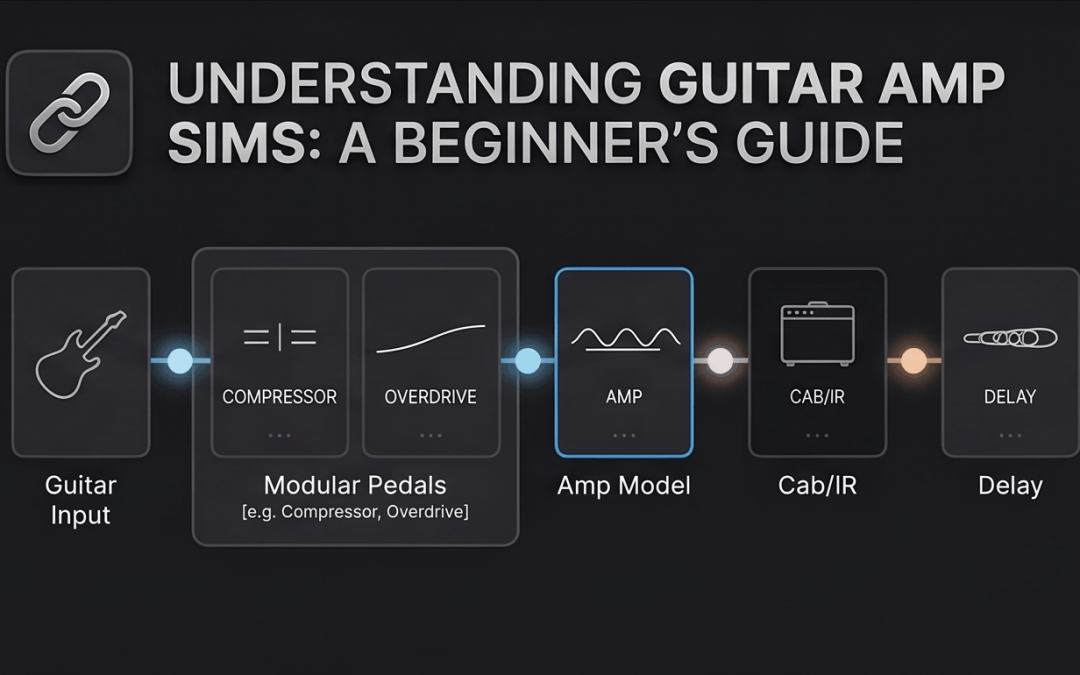
To understand an amp sim, you need to understand the three main steps your guitar signal goes through in the real world, which software replicates:
1. The Pedals (Pre-FX)
These are effects that sit before the amplifier to shape or boost the signal. Examples include Compressors (to even out volume) and Overdrives (to tighten bass and add grit).
2. The Amplifier (The Core)
The virtual amplifier replicates the tubes and circuitry of real guitar amps. This is where your gain, bass, middle, treble, and master volume controls live. Most simulators offer three main archetypes:
-
Clean: Sparkly, smooth, perfect for jazz, pop, and ambient music.
-
Crunch: Gritty, vintage drive, great for blues and indie rock.
-
High-Gain: Heavy, saturated distortion, built for modern metal and rock riffs.
3. The Cabinet & IR Loader (The Speaker)
An amplifier head by itself sounds harsh and piercing. It needs a speaker cabinet to filter the sound. In modern software, cabinets are simulated using IRs (Impulse Responses). An IR is a high-fidelity digital snapshot of how a specific speaker cabinet, in a specific room, with a specific microphone sounds.
Building Your First Rig with RiffChain
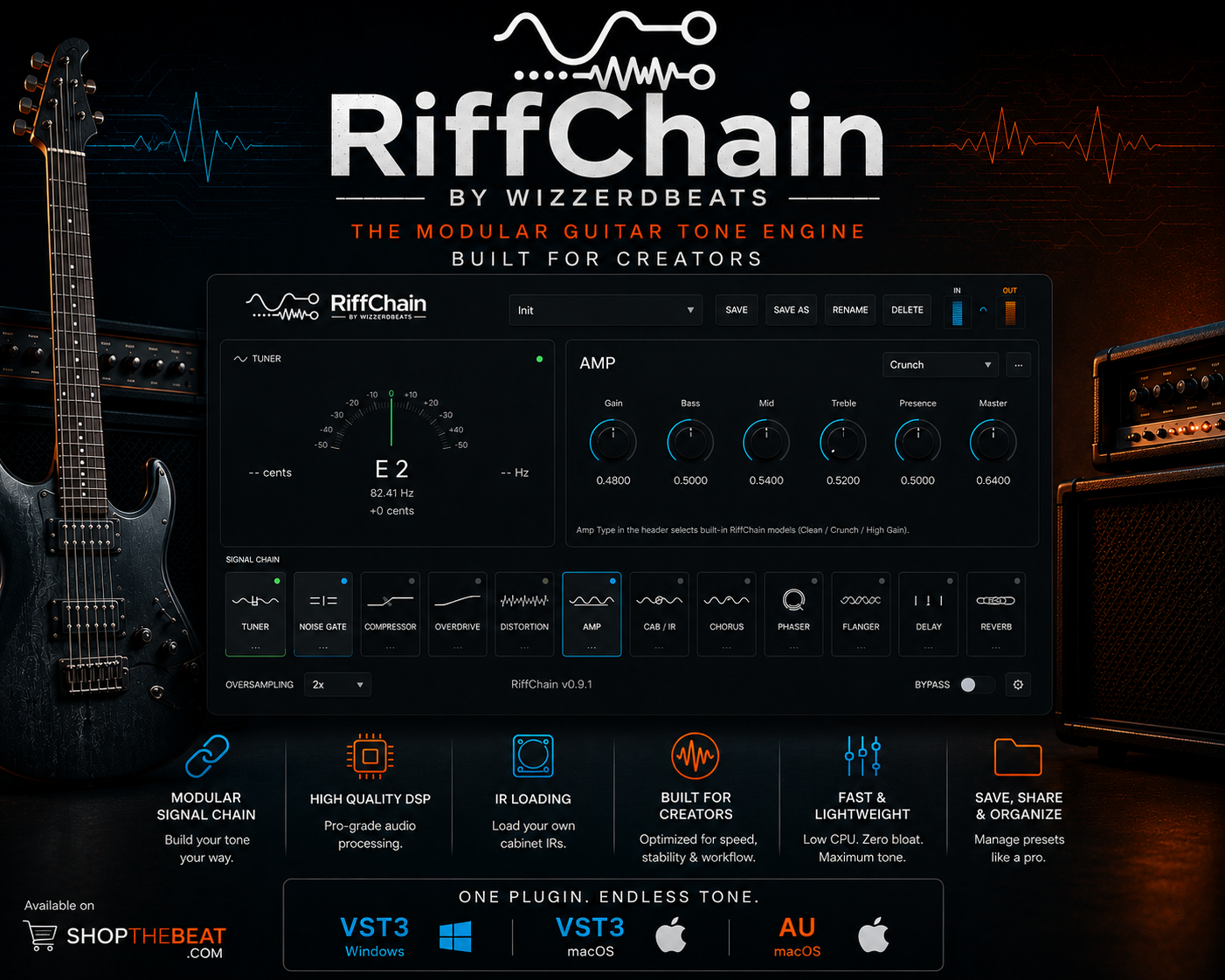
If you want an intuitive, jargon-free way to learn tone shaping, RiffChain is the perfect sandbox. It features a clean, professional dark interface where you can visualize your entire signal flow from left to right.
Step-by-Step Beginner Formula for a Great Tone:
- Turn on the Tuner and ensure your guitar is perfectly in pitch.
- Activate the Noise Gate to remove any background hiss.
- Select the Amp module and choose Clean or Crunch depending on your style.
- Go to the Cab / IR module to select a speaker configuration.
- Finish it off by turning on the Delay or Reverb at the very end of the chain to give the guitar space.
Start Exploring for Free
The best way to understand guitar tone is to experiment. With RiffChain’s lightweight workflow, you can drag and drop modules without lagging your computer. Download the Beta and start building your dream rig today!